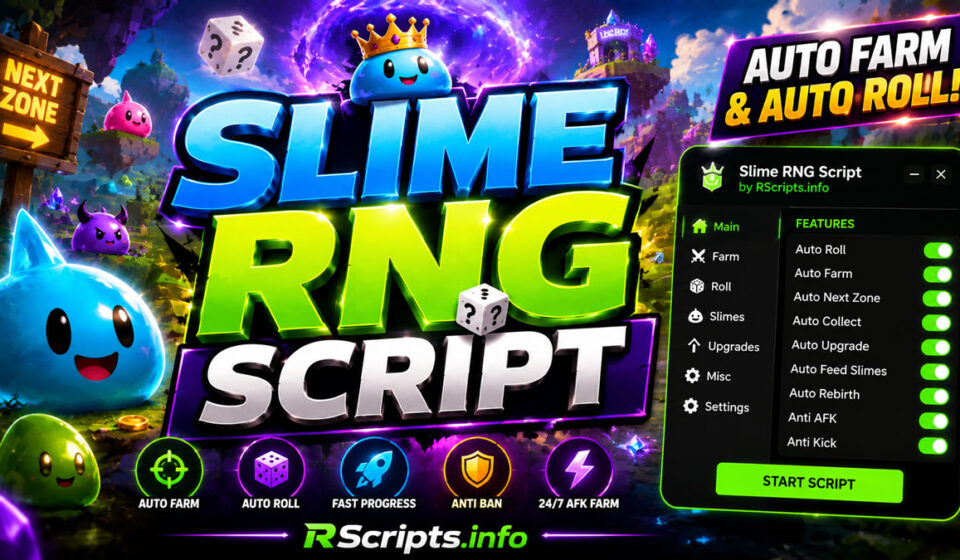
Slime RNG Script: Full Auto Farm & Auto Roll Loader
The continuous search for rare slimes and fast zone unlocking drives thousands of active players to seek out a reliable Slime RNG Script to automate progression. Slime RNG presents a challenging gameplay loop that heavily relies on random number generation and constant manual clicking to roll for valuable companions. Utilizing a dedicated utility allows players to streamline their item collection, maximize their rolling speed, and continuously progress through game zones without fatigue.
By implementing these streamlined configurations, players can bypass tedious grinding and unlock premium milestones effortlessly. These optimization utilities handle repetitive tasks in the background, making it easier to build an impressive slime collection while maintaining high efficiency.
At RScripts.info, we dedicate ourselves to providing players with verified, secure, and operational gameplay optimization tools. Level Up Your Roblox Gameplay with RScripts.info by choosing from our curated selection of tested automation systems that are regularly evaluated for stability. You can explore new visual setups on our Pinterest Profile
Build A Ring Farm Script 2026: Mobile & Keyless
Core Mechanics and Key Features Explained
A modern gameplay modification tool for this simulator functions by directly interacting with the game’s core reward systems. It replaces the requirement for constant manual physical inputs with clean, automated network requests that trigger events like rolling, purchasing, and crafting instantly.
Common features included in modern configurations for this game consist of:
- Auto Roll and Luck Farm modifiers to optimize rolling speeds.
- Auto Zone Progression to purchase and teleport to new areas automatically.
- Auto Collect Loot for drops, fruits, and offline earnings.
- Auto Upgrade and Slime Feeding automation.
- Anti-AFK and Anti-Kick protection systems to ensure continuous operation.
Verified Script Implementations and Source Code
Different developer groups have released specialized modifications that focus on unique optimization profiles, interface designs, and automation limits.
Lunaris Hub Edition for Slime RNG
The Lunaris Hub edition provides a highly polished dashboard interface that prioritizes combat range modifications, automated consumable utilization, and reliable protection systems. It features a keyless system during weekends to offer unrestricted user access.
Features
- Fully automated resource farming and consumable usage.
- Extended far attack reach and automated shooting mechanics.
- Integrated anti-staff detection and friend spammer utilities.
- Discord webhook integration for remote notification logging.
Script Code
Lua
loadstring(game:HttpGet("https://api.jnkie.com/api/v1/luascripts/public/9fba8a2d03f07cd5d926d0c0cf182c6e44d24ffecb369a7c96578460781bf70a/download"))()
Why Players Prefer Lunaris Hub
This specific hub is highly favored for its clean optimization and weekend keyless access structure. It runs exceptionally well on mobile platforms without causing frame drops during heavy resource farming loops.
Tuxedo Gamerz Edition by Dalkoski
Developed by Dalkoski with UI design support from the Phantom community, this version offers one of the most feature-rich interfaces available. It includes robust configuration saving options and custom visual themes.
Features
- Auto Roll, Next Zone, and Auto Buy Zone integration.
- Automated fruit upgrading, slime feeding, and index claiming.
- Automated crafting, rebirth processing, and optimal equipment attachment.
- XP transfer utilities to automatically level up your strongest slimes.
- Built-in Anti-AFK and custom graphical user interface themes.
Script Code
Lua
getgenv().SCRIPT_KEY ="30c7670c-f25f-4fde-82ed-b6d7b89b707f"loadstring(game:HttpGet("https://api.jnkie.com/api/v1/luascripts/public/4110e79307ad8e1400a58268cfe3f4b1762a4b71d56cea5a737849b42afc64f5/download"))()
Why Players Prefer Tuxedo Gamerz Edition
Players choose this release when they want absolute control over every micromanagement aspect of their slimes. The layout allows you to save your settings so they reload perfectly during future gaming sessions.
Dead Rails Script (2026) – Auto Farm Bonds, Infinite Items, Bring Items, ESP and More
Solo Scripting Edition via Scripts Lock
This straightforward, highly effective modification focuses strictly on structural loop optimization. It allows users to activate the main interface options and completely walk away from their hardware.
Features
- Compressed full auto farm functionality.
- Automated target elimination and automatic weapon usage.
- Automated recipe management and luck potion deployment.
- Character movement speed and teleportation adjustments.
Script Code
Lua
loadstring(game:HttpGet("https://soloscripts.soloscripts.workers.dev/slime-rng"))()
Why Players Prefer Solo Scripting Edition
This version is incredibly lightweight and contains minimal visual clutter. It is ideal for players running lower-end hardware who want to farm resources without crashing their client.
Rainyybs Edition for Slime RNG
The Rainyybs development team focuses on rapid area progression, code responsiveness, and custom selection criteria for power-up items.
Features
- Auto roll, automated shooting, and automated rebirth cycles.
- Custom select filters for automatic upgrades and boost activations.
- Automated claim systems for index rewards, offline earnings, and promo codes.
- Functional automated teleportation to the farthest unlocked zone.
Script Code
Lua
loadstring(game:HttpGet('https://raw.githubusercontent.com/RainyBGSI/Roblox/refs/heads/main/SlimeRNG'))()
Why Players Prefer Rainyybs Edition
The working automated teleportation to the farthest unlocked zone makes this variant excellent for climbing leaderboard spaces. It removes the need to manually walk through zone transition barriers.
BadshahScripts Edition for Slime RNG
This specific tool focuses heavily on probability optimization, helping players enhance their statistical opportunities of discovering rare slimes.
Features
- Target hunting for rare slime variants.
- Luck farming and continuous loop rolling.
- Teleportation functions and automated reward claiming.
- Clean, minimalist graphical user interface layout.
Script Code
Lua
loadstring(game:HttpGet("https://raw.githubusercontent.com/BadshahScript/Slime-RNG/refs/heads/main/Script.lua"))()
Why Players Prefer BadshahScripts Edition
It is the perfect secondary tool for collectors who are exclusively hunting for secret or high-tier slimes to complete their collection index.
Blox Strike Script (2026) – Auto Farm, Aimbot & Keyless Features
Analytical Performance Comparison Table
| Script | Main Features | Performance | Ease of Use |
| Lunaris Hub | Far Attack, Auto Consumables, Webhooks | Excellent on Mobile | High (Keyless Weekends) |
| Tuxedo Gamerz | XP Transfer, Auto Feed, Save Configs | Stable | Medium (Requires Key) |
| Solo Scripting | Light Auto Farm, Auto Kill, Speed Mod | Extremely Lightweight | Very High (Instant Load) |
| Rainyybs Edition | Farthest Zone TP, Code Redemption | Highly Responsive | High (Direct Loadstring) |
| BadshahScripts | Rare Slime Hunter, Luck Farm, Rewards | Light | High (Simple GUI) |
Complete Execution Guide for Slime RNG
Setting up your automation tools takes less than two minutes if you follow these basic processing instructions.
- Launch your native Roblox client and open the main Slime RNG game lobby.
- Launch your chosen, updated exploitation software or executor overlay.
- Navigate to RScripts.info and copy the raw working loadstring text from your chosen script section above.
- Paste the exact clipboard line directly into the main code execution panel of your executor.
- Click the inject, attach, or execute button to introduce the source files into the client.
- Interact with the newly visible dashboard menu to toggle your favorite configurations.
Supported Mobile and PC Executors
These modifications are thoroughly tested to ensure cross-platform compliance across mobile devices and desktop environments. Popular mobile clients like Codex, Delta, and Volt offer full compatibility with the provided interface systems. Desktop environments and advanced environments like Synapse Z, Wave, Potassium, Seliware, and OpiumWare execute the structural loops seamlessly.
While compatibility may change after official game patches, RScripts.info regularly updates the repository to maintain working status across available application overlays.
Evaluated Pros and Cons of Slime RNG Automation
Strategic Benefits
- Drastically accelerates coin acquisition, item crafting, and zone progression.
- Eliminates physical strain by fully automating the endless rolling process.
- Maximizes experience point transfers to optimize companion attributes.
- Ensures efficient collection loops through optimized client communication.
Operational Limits
- Requires the deployment of a functional third-party execution utility.
- Features can experience brief downtime immediately following major game updates.
- Certain variants utilize internal verification or developer advertisement keys.
Safe Usage and Professional Disclaimer
We strongly recommend that players utilize gameplay automation utilities responsibly. Always consider testing new loadstrings on alternative profiles before introducing them to your primary save files to evaluate visual settings and script speeds.
While our team manually checks every script to ensure it is fully working and safe, official game updates may temporarily affect functionality until developers push regular maintenance revisions.
This article is intended for educational, research, and informational purposes only. We do not host or own the external code repositories linked within this guide.
Additional Roblox Gameplay Optimizers
If you enjoy optimizing your progression in luck-based simulators, explore our additional guides on anime-themed RPG tools, auto-clicking systems, and automated simulator scripts. Maintaining a diverse portfolio of automation resources helps ensure your performance remains optimal across all your favorite games.
Strategic Verdict for Active Players
Your selection of a tool depends primarily on your current setup and in-game targets. Players seeking deep customization and automated feeding structures should utilize the Tuxedo Gamerz version. If you require an optimized, low-overhead loop to leave running overnight, the options provided by Lunaris Hub or Solo Scripting deliver unmatched stability. All listed tools are currently operational and ready for deployment.
Be sure to bookmark RScripts.info to ensure you always have access to the cleanest, most effective, and fully verified automation software.
Frequently Asked Questions regarding Slime RNG
Is the Slime RNG Script code currently working?
Yes, RScripts.info provides optimized, regularly maintained loadstrings that fetch the latest working versions automatically from the developers’ repositories. This ensures that even when underlying scripts receive updates or bug fixes from the authors, the loadstrings provided here will pull the operational build.
Do these tools require a functional key system?
The key requirements depend on the specific implementation you execute. The Lunaris Hub configuration offers completely keyless utilization throughout the weekend, whereas the Tuxedo Gamerz edition utilizes a designated developer script key for verification.
Can I run these automation tools on an Android or iOS device?
Yes, multiple variants including Lunaris Hub, Rainyybs, and Tuxedo Gamerz are explicitly marked as mobile ready. They are fully compatible with mobile application loaders such as Delta, Codex, and Volt.
What is the purpose of the Anti-AFK feature included in these menus?
The Anti-AFK protocol prevents the standard Roblox engine from disconnecting your account after twenty minutes of inactivity. It introduces artificial system activity, allowing your character to roll and farm resources continuously for hours.
How does the rare slime finder benefit my collection?
The rare slime finder optimizes client filter priorities to immediately flag and secure rare drops. It allows you to track luck milestones efficiently and ensures your inventory management rules do not accidentally overwrite elite entities.