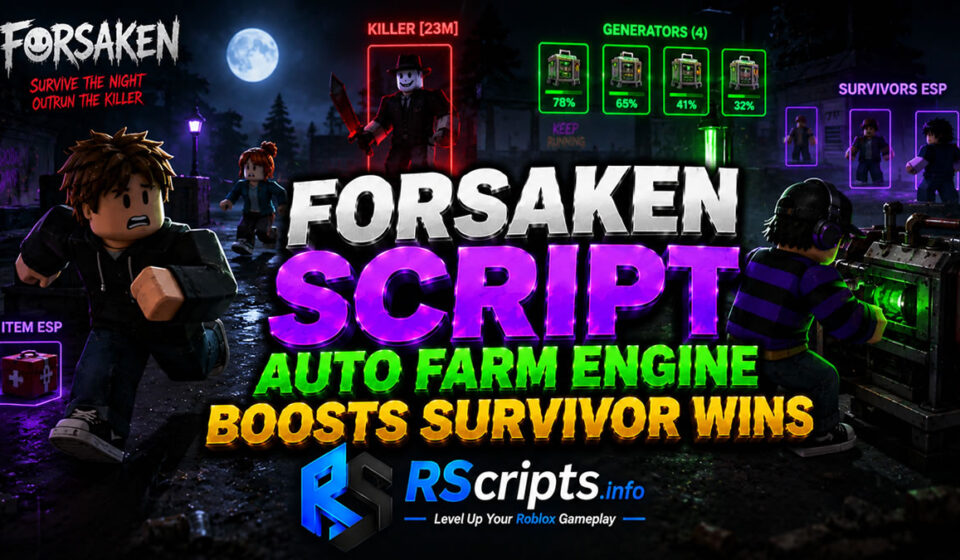
Forsaken Script Auto Farm Engine Boosts Survivor Wins
Forsaken Script modification platforms have completely transformed how community players engage with this asymmetric horror experience. The core loop of the game demands intense coordination, requiring survivors to repair complex generator systems while avoiding relentless killer players.
Using external optimization setups allows enthusiasts to streamline character progression and analyze mechanical limitations. At RScripts.info, our core mission is to help you “Level Up Your Roblox Gameplay” by providing detailed technical insights.
To stay connected with the broader creation community, check out the RScripts Official Pinterest for consistent development highlights. These optimization frameworks ensure your layout remains competitive during high-stakes structural matches.
Core Mechanics and Key Forsaken Customizations Explained
Visual and technical customization dashboards assist user inputs by tracking hidden workspace assets dynamically. These frameworks map specific server triggers to maximize output efficiency.
- Progression Loops: Automatically sequences local interactions to finish standard map tasks without manual keyboard wear.
- Input Triggers: Refines mechanical timings for tool activation and character evasion maneuvers.
- Auto-Farming Parameters: Coordinates objective locations to minimize downtime during active gameplay rounds.
- Precision Tracking: Projects 3D bounding boxes around players, active generators, and critical dropped supplies.
Evaluated Forsaken Script Hubs and Feature Profiles
The scripting community has produced several prominent configuration dashboards tailored specifically for this game.
Axon Hub Variant Analysis
The Axon Hub development team prioritizes deep configuration modularity alongside lightweight visual asset rendering. It delivers a comprehensive suite of tools divided cleanly between survivor and killer roles.
Key Features
- Adjustable generator fix pacing with dedicated timeout slider modules.
- Round-robin targeting systems to spread combat hits evenly across active targets.
- Dynamic item collection teleports paired with name and distance tracking layouts.
- Comprehensive environmental lighting overrides including Fullbright and Fog Removal.
Educational Code Snippet
Lua
getgenv().Provider = "rscript"loadstring(game:HttpGet("https://api.luarmor.net/files/v3/loaders/97c3f6db55a2cf72141537a85458e5a7.lua"))()
Why Players Prefer Axon Hub
Players frequently select this framework due to its highly structured configuration save states. The integrated user interface permits seamless transitions between survivor tracking and killer optimization profiles.
Project Delta Script Soft Aim and Aim Tracer Elite Layout
Nibum Hub Variant Analysis
Nibum Hub stands out as an exceptionally streamlined, mobile-ready layout built for rapid script initialization. It eliminates heavy graphical menus to ensure consistent framerates on lower-end devices.
Key Features
- Rapid auto-generator repair sequences that minimize detection flags.
- Automated survival avoidance routines that continuously path away from active killers.
- High-efficiency combat sweeps designed to eliminate remaining survivors quickly.
Educational Code Snippet
Lua
loadstring(game:HttpGet("https://raw.githubusercontent.com/nuargg/nibum-HUB/refs/heads/main/doal1"))()
Why Players Prefer Nibum Hub
This configuration variant is ideal for mobile gamers operating through mobile application emulators. It provides maximum processing performance by focusing strictly on critical automated execution loops.
Sailor Piece Script Auto Farm Mob Optimization
Chill Hub Variant Analysis
Chill Hub introduces a premium, feature-rich toolkit built entirely on top of the modern WindUI visual framework. This solution provides unparalleled customizability and advanced physical physics modifications.
Key Features
- Configurable ESP color pickers designed for specific high-value targets and environmental objects.
- Predictive audio block engineering combined with robust automated hitbox dragging mechanics.
- Instant statistics injection that modifies character level indicators and achievements.
- Built-in UI background transparency adjustments and reactive keyword search utilities.
Educational Code Snippet
Lua
loadstring(game:HttpGet("https://api.jnkie.com/api/v1/luascripts/public/1be1679a02502108dbe72e706d23de508cbed625bad190819619c88ed9db4f2d/download"))()
Why Players Prefer Chill Hub
The WindUI implementation makes this layout incredibly intuitive for users tracking extensive gameplay variables simultaneously. It offers a premium competitive aesthetic while remaining stable across multiple independent script runners.
Escape Tsunami For Brainrots Script Auto Farm Utility
Analytical Performance Comparison of Forsaken Hubs
| Optimization Hub | Main Feature Focus | Resource Impact | UI Accessibility |
| Axon Hub | Dual-Role Automation | Moderate | High (Tabbed Layout) |
| Nibum Hub | Minimalist Performance | Low | Basic (Mobile Friendly) |
| Chill Hub | Advanced Physics & Visuals | High | Premium (WindUI Engine) |
Step-by-Step Configuration Guide for Forsaken
- Launch your preferred desktop or mobile Roblox game client securely.
- Initialize your supported script runner to prepare the local workspace environment.
- Source your verified automation layouts directly from public archives hosted on RScripts.info.
- Copy the precise execution loadstring text into the compiler interface.
- Execute the string and wait for the configuration graphical overlay to initialize.
- Press the designated activation key, such as RightShift, to show or hide the dashboard panel.
- Toggle your desired parameters slowly to maintain optimal performance levels during live matches.
Supported Mobile and PC System Environments
These automation configurations maintain operational compatibility across several popular execution applications. Software systems such as Wave and Synapse Z provide excellent desktop stability, while frameworks like Delta, Codex, and Seliware cater directly to mobile environments.
Because official Roblox core platform updates frequently alter workspace memory structures, public scripts require periodic maintenance. Platforms like RScripts.info constantly review external asset behavior to guarantee code definitions remain fully operational.
Evaluated Strategic Pros and Cons
Strategic Benefits of Forsaken Utilities
- Drastically reduces the manual grind required to accumulate match rewards and seasonal cosmetic items.
- Improves situational awareness through structural wall overlays that pinpoint objective distances.
- Bypasses frustrating hardware physics constraints like standard stamina drain parameters.
- Allows thorough mechanical testing of killer abilities and survivor evasion boundaries.
Operational Limits and Safety Risks
- Frequent patch updates can temporarily break specific structural teleports or repair scripts.
- Improper configuration values can cause visual screen stuttering or sudden application disconnection.
- Overuse of high-speed tracking mechanics risks attracting manual player review reports.
Safe Usage Practices and Professional Disclaimer
These reviews are compiled solely for educational exploration, analysis, and research purposes. Users must remember that using unofficial client modifications violates standard game provider terms of service.
Always experiment with alternative accounts in private conditions to protect your primary progression data. Maintaining a conservative profile setup minimizes unexpected account actions significantly.
Additional Roblox Gameplay Optimizers
If you enjoy managing progression curves in challenging survival scenarios, explore our comprehensive catalog of anime simulators, tactical strategy guides, and open-world RPG modification reviews. These resources provide similar interface optimization layouts to elevate your broader gaming setup.
Strategic Verdict for Active Players
Selecting the ideal configuration solution depends entirely on your current device limitations and tactical gameplay objectives. For general round management on standard hardware, Axon Hub provides an exceptional balance of features.
If you favor advanced competitive mechanics and visual style, Chill Hub delivers an unmatched experience. Explore your options today and keep refining your setup with RScripts.info.
Frequently Asked Questions
Are these Forsaken configurations working currently?
Yes, the community regularly updates these sources to match current game updates. Platforms like RScripts.info aggregate dynamic links that pull live code directly from verified asset repositories.
Can I run these scripts effectively on a mobile device?
Absolutely, both Axon Hub and Nibum Hub are explicitly optimized for mobile memory constraints. They function efficiently within mobile execution suites like Delta and Codex.
What is the purpose of the hitbox dragging feature?
Hitbox dragging artificially extends the operational reaching radius of killer attacks using local physical velocity modifications. This ensures hits register cleanly even if a survivor attempts to dodge.
How do I open and close the menu overlay inside the game?
Most development teams assign a toggle keybind like RightShift or LeftControl to minimize the control window. Mobile users can tap the floating on-screen application icon to hide the interface.
Will these automation configurations unlock hidden achievements?
Yes, advanced solutions like Chill Hub contain script blocks dedicated to injecting profile metrics. These triggers can instantly complete standard milestone achievements and maximize in-game currency profiles.