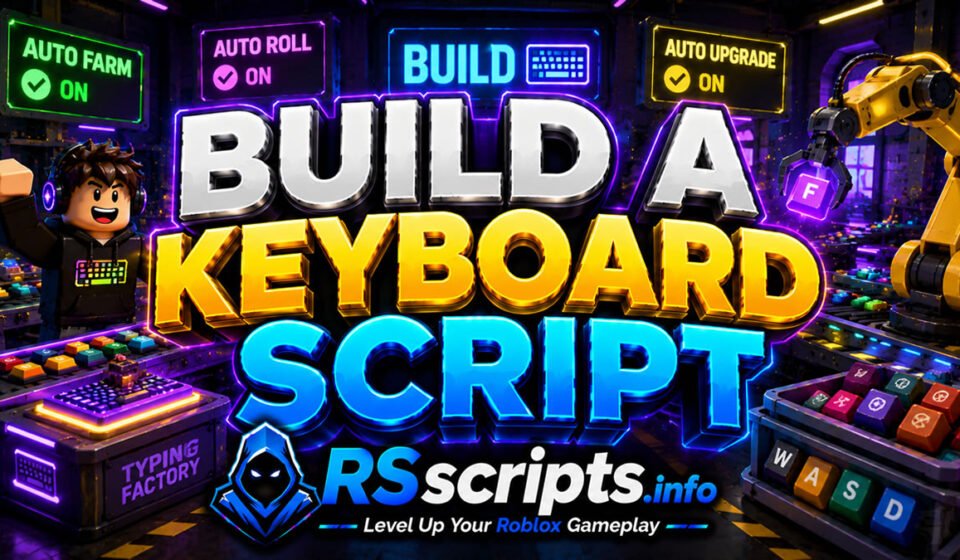
Build A Keyboard Script Auto Roll and Auto Farm Utility
Build A Keyboard Script setups provide players with a seamless way to maximize their typing factory efficiency without manual strain. The core loop of this popular Roblox title revolves around collecting rare keycaps, upgrading typing workers, and resetting progression via rebirths to scale earnings. Managing these elements simultaneously can become tedious for players aiming to top the leaderboards.
Using an external automation utility allows you to streamline asset accumulation dynamically. The platform RScripts.info serves as a premier hub dedicated to helping you level up your Roblox gameplay through verified optimization layouts. You can also explore curated collections via the RScripts Official Pinterest page to find trending interface setups.
Core Mechanics and Key Build A Keyboard Customizations Explained
A well-optimized configuration dashboard transforms how your game client handles repetitive background tasks. By automating manual input triggers, these setups keep your factory running at maximum velocity continuously.
The community frequently utilizes several standard modification parameters to optimize their production lines:
- Progression Loops: Automatically triggering cycles for purchasing upgrades and resetting milestones.
- Input Triggers: Simulating precise click actions to collect items instantly across the factory floor.
- Auto-Farming Parameters: Target settings that prioritize acquiring the highest value components first.
- Precision Tracking: Real-time monitoring of wallet balances to ensure optimal investment paths.
Evaluated Build A Keyboard Script Hubs and Feature Profiles
Several prominent community-developed configuration dashboards exist to refine your layout efficiency. Each variant offers distinct advantages depending on your preferred execution suite or performance requirements.
Ouroboros Variant Analysis
The Ouroboros development team focuses heavily on providing a lightweight performance profile paired with a highly responsive interface. This automation utility runs efficiently on both desktop platforms and mobile environments without causing frame rate drops.
Key Features
- Auto Collect Keycaps and Press Dwell mechanics.
- Auto Equip Best Keycap options with customizable equip delay.
- Auto Roll selection with custom roll settle intervals.
- Auto Upgrade loops for spawn cooldown, money multipliers, and luck stats.
- Auto Buy systems for workers, sounds, and keyboard skins.
Educational Code Snippet
Lua
loadstring(game:HttpGet("https://raw.githubusercontent.com/joustingmatch/Ouroboros/main/loader.lua"))()
Why Players Prefer Ouroboros Players highly favor this configuration layout due to its comprehensive multi-target shopping loop. It allows you to maintain a strict money reserve while automatically funding worker tier upgrades in the background.
Best Driving Empire Script with Auto Farm and $30M/hr Auto Delivery
Spiritual Gaming Gist Variant Analysis
This modification setup is designed specifically for users who prefer minimal background resource consumption. It isolates the absolute essentials of factory management to deliver a straightforward optimization experience.
Key Features
- Focused Auto Roll parameters.
- Direct Auto Buy workflows.
- Streamlined Auto Upgrade tracking.
- Simplified Auto Rebirth loops.
Educational Code Snippet
Lua
loadstring(game:HttpGet("https://gist.githubusercontent.com/spiritualgaming1123-beep/072fe9dc341b5e09eb1c0a18a862da1c/raw/a027473d8707b773fa317709c0c0587416bec3fe/gistfile1.lua"))()
Why Players Prefer Spiritual Gaming This option is ideal for older hardware profiles that struggle with complex graphical interfaces. Its stripped-down architecture ensures that your background system memory remains entirely unburdened during extended active sessions.
Best Be a Fish Bait Script with Auto Fish and Auto Sell Layouts
AWCC Variant Analysis
The AWCC deployment specializes in high-speed asset generation and robust structural integrity. It integrates unique character physical modifications alongside standard factory management configurations.
Key Features
- Automated keycap collection and best-tier auto equipment.
- Integrated Anti-AFK mitigation systems to prevent unexpected disconnections.
- Modified Walk Power and Jump Power adjustments for swift manual navigation.
- Advanced luck multipliers tailored for rare keycap rolls.
Educational Code Snippet
Lua
loadstring(game:HttpGet('https://raw.githubusercontent.com/hersheyzchoco-cmyk/awcc/refs/heads/main/!_loader.lua'))()
Why Players Prefer AWCC The inclusion of physical movement adjustments makes manual map navigation highly efficient when configuring your machines. Its built-in anti-disconnection routines make it the preferred choice for dedicated overnight farming sessions.
Best 99 Nights in the Forest Script with Auto Farm and God Mode
Analytical Performance Comparison of Build A Keyboard Hubs
Choosing the correct modification setup depends entirely on your specific hardware capabilities and primary progression objectives. The table below outlines how each popular community hub performs across major operational metrics.
| Optimization Hub | Main Feature Focus | Resource Impact | UI Accessibility |
| Ouroboros | Full Factory Purchasing | Moderate | Advanced Dashboard |
| Spiritual Gaming | Minimalist Core Loops | Extremely Low | Text Menu |
| AWCC | High-Speed Farm & Physics | Low to Moderate | Clean Interface |
Step-by-Step Configuration Guide for Build A Keyboard
Activating your chosen gameplay optimizer requires following a specific processing sequence to ensure absolute stability. Always confirm that your system architecture is fully updated before launching your platform assets.
- Initialize your preferred desktop or mobile game client cleanly.
- Navigate into the main lobby area of the production factory map.
- Start your chosen supported script runner application in the background.
- Copy the active source definitions sourced directly from RScripts.info.
- Insert the clean execution line into your runner console layout.
- Execute the code and wait for the custom interactive panel to populate.
- Toggle your preferred automation options like auto-rolling or worker hiring.
Supported Mobile and PC System Environments
The modern Roblox modification community utilizes various multi-platform execution suites to run these custom configurations. Mobile players frequently depend on popular applications such as Delta, Codex, or Wave to handle asset delivery on portable touch devices. Desktop enthusiasts typically deploy premium options like Seliware or specialized execution layers to ensure smooth processing performance.
It is important to remember that official game engine patches roll out regularly and can temporarily disrupt your configuration paths. The dedicated moderation team at RScripts.info continuously monitors these updates to modify and refresh active source definitions as soon as structural changes occur.
Evaluated Strategic Pros and Cons
Strategic Benefits of Build A Keyboard Utilities
- Drastically reduces the manual click strain associated with long production sessions.
- Optimizes resource allocation by automatically purchasing the most cost-effective upgrades first.
- Accelerates leaderboards ranking progression through continuous overnight rebirth cycling.
- Guarantees that your workers are always operating at their maximum possible tier levels.
Operational Limits and Safety Risks
- Subject to sudden functional downtime following major official game software patches.
- Requires the use of third-party software runners which may impact system memory.
- High-speed physical modifications can occasionally trigger internal server stability disconnects.
Safe Usage Practices and Professional Disclaimer
These evaluation overviews are presented exclusively for academic research, educational analysis, and optimization analysis purposes. Users must interact with third-party modification utilities responsibly and remain respectful of the official terms of service governing the platform. Testing your custom layout parameters on an alternate profile is highly recommended to safeguard your primary account metrics. Keep your software suites updated to minimize potential client performance errors.
Additional Roblox Gameplay Optimizers
If you enjoy managing automated industrial layouts, exploring additional simulator reviews can broaden your strategic horizons. Consider reading our comprehensive guides covering modern business tycoons, clicking simulators, and anime progression RPG asset setups. These resources provide excellent insights into maximizing your character efficiency across various gaming genres.
Strategic Verdict for Active Players
Selecting the ideal Build A Keyboard Script environment comes down to balancing your hardware power with your progression targets. Desktop users looking for absolute control over every upgrade parameter will find the Ouroboros dashboard incredibly rewarding. For mobile enthusiasts running background processes on tight hardware, the streamlined AWCC or Spiritual Gaming setups deliver fantastic stability. No matter which deployment style you prefer, keeping your sources verified through RScripts.info ensures a top-tier experience.
Frequently Asked Questions
Are these Build A Keyboard Script configurations working currently?
Yes, the source configurations are fully functional. RScripts.info aggregates dynamic, community-maintained links that pull live updates directly from verified public asset repositories such as GitHub or Luarmor integrations.
What does the money reserve setting do in Ouroboros?
The money reserve feature allows you to establish a strict cash baseline that the automation software cannot spend. This ensures you always have immediate funds available for manual purchases or specialized event triggers.
Can I run these factory optimization setups on an Android device?
Yes, you can easily execute these configurations on mobile devices. Popular mobile optimization suites like Delta and Codex are fully capable of rendering the required graphical interfaces.
Why does my configuration dashboard disappear randomly?
This issue typically occurs when the main game server pushes a minor background update that mismatches your running code. Refreshing your execution suite or sourcing the latest script definition fixes the issue.
Is an anti-AFK system necessary for building keyboards?
An anti-AFK system is highly recommended if you plan to leave your factory running unattended for hours. It prevents the internal server mechanics from kicking your character out for inactivity.