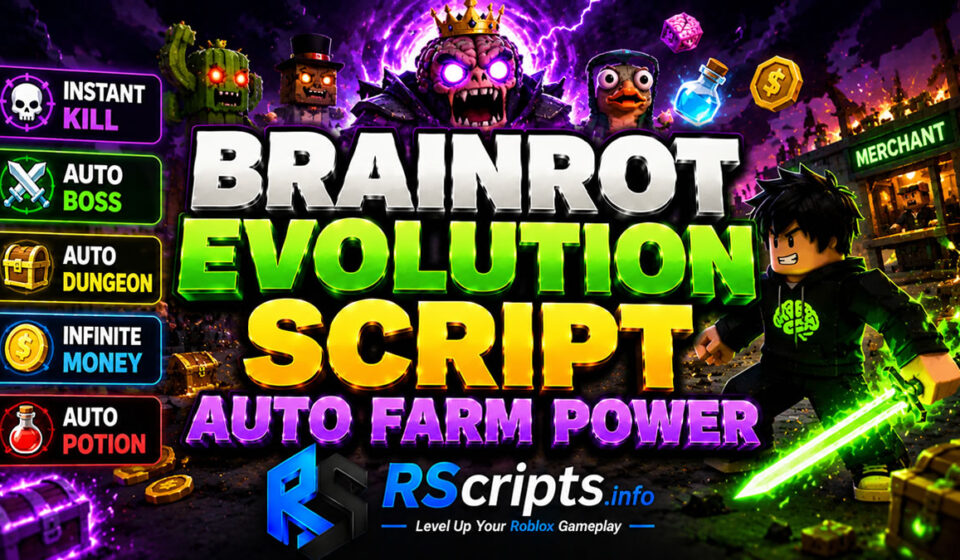
Brainrot Evolution Script Auto Farm Power
Brainrot Evolution Script provides players with an advanced framework to bypass tedious repetitive tasks within this unique Roblox environment. The core gameplay loop requires extensive grinding, which often delays access to late-game content and rare character evolutions.
Using an external gameplay optimizer allows players to automate character development and resource collection seamlessly. Players looking to maximize their efficiency can find updated configurations on RScripts.info, a platform dedicated to helping you level up your Roblox gameplay. You can also monitor community releases via the official RScripts Official Pinterest page.
Core Mechanics and Key Brainrot Evolution Script Customizations
Modification setups for this title focus heavily on input virtualization and automation tracking. These utilities intercept standard character actions to optimize progression speeds.
- Progression Loops: Automates the transition between character evolution tiers without manual menu navigation.
- Input Triggers: Simulates precise timing for event interactions and specialized combat systems.
- Auto-Farming Parameters: Controls resource gathering and pathfinding to clear maps automatically.
- Precision Tracking: Identifies active world bosses, rare weather events, and merchant spawns instantly.
Evaluated Brainrot Evolution Script Hubs and Feature Profiles
Several development teams have produced specialized automation layouts tailored to this game.
JinHub Variant Analysis
This development team emphasizes a comprehensive feature suite designed to manage every active world event. The user interface remains highly responsive even during intense dungeon runs.
Key Features
- Instant Kill combat modifications
- Auto Boss and Auto Dungeon automated loops
- Auto Weather and Auto Random Weather adjustments
- Auto Merchant and Auto Quest tracking
- Auto Pop Sahur, Auto Potion, and Auto Crate activation
Educational Code Snippet
Lua
loadstring(game:HttpGet("https://jinhub.my.id/scripts/BrainrotEvolution.lua"))()
Why Players Prefer JinHub
Players favor this variant because it integrates combat and world events into a single configuration dashboard. The layout ensures reliable performance across diverse public servers.
Forsaken Script Auto Farm Engine Boosts Survivor Wins
Wood_Plank Variant Analysis
This configuration layout prioritizes pure economy accumulation and character stats progression. It is a lightweight script that reduces hardware strain during long sessions.
Key Features
- Auto Evolve level progression
- Infinite Money tracking utilities
- Auto Collect resource loops
- Movement Speed modifications
- Rebirth automation setups
Educational Code Snippet
Lua
loadstring(game:HttpGet('https://raw.githubusercontent.com/ellsworth6349/Brainrot-Evolution/main/Brainrot-Evolution.lua'))()
Why Players Prefer Wood_Plank
This layout is highly praised for its straightforward approach to building maximum currency rapidly. Users with budget mobile devices prefer its minimal graphical interface.
Project Delta Script Soft Aim and Aim Tracer Elite Layout
Laws Hub Variant Analysis
Laws Hub provides a stable alternative focusing on basic execution compatibility and mobile optimization. It ensures core features remain active even after minor title updates.
Key Features
- Optimized code structure for mobile execution suites
- Basic automation for main progression loops
- Streamlined resource collection triggers
Educational Code Snippet
Lua
loadstring(game:HttpGet("https://raw.githubusercontent.com/hehehe9028/LAWSHUB-brainrot-evolution/refs/heads/main/LAWSHUB%20brainrot%20evolution"))()
Why Players Prefer Laws Hub
The simplicity of this variant makes it exceptionally stable during major game updates. Players who value uninterrupted execution choose this reliable configuration setup.
Sailor Piece Script Auto Farm Mob Optimization
Analytical Performance Comparison of Brainrot Evolution Script Hubs
The following layout organizes the evaluated options based on community testing data.
| Optimization Hub | Main Feature Focus | Resource Impact | UI Accessibility |
| JinHub | World Events & Combat | Moderate | High |
| Wood_Plank | Economy & Rebirths | Low | Minimal |
| Laws Hub | Stability & Mobile | Low | Standard |
Step-by-Step Configuration Guide for Brainrot Evolution Script
Setting up your gameplay optimizer requires adhering to standard script execution practices.
- Launch the official Roblox client and load into the game world.
- Initialize your preferred supported script runner on your PC or mobile device.
- Access RScripts.info to obtain verified, active configuration strings.
- Copy the specific loadstring from the database into the execution interface.
- Execute the code to open the on-screen configuration dashboard.
- Select your desired automation parameters such as auto farm or instant kill.
Supported Mobile and PC System Environments
These automation utilities function across popular mobile and PC execution suites including Delta, Wave, Codex, and Seliware. Regular game patches frequently alter internal variables, temporarily disrupting active features. Platforms like RScripts.info update their source repositories consistently to address these changes.
Evaluated Strategic Pros and Cons
Using a Brainrot Evolution Script introduces several distinct operational advantages and limitations.
Strategic Benefits of Brainrot Evolution Script Utilities
- Drastically reduces the time required to achieve maximum evolution tiers.
- Automates difficult boss fights and dungeon challenges seamlessly.
- Secures rare merchant items and weather-exclusive rewards efficiently.
- Allows passive currency generation while away from the screen.
Operational Limits and Safety Risks
- Dependent on third-party application stability and regular development updates.
- Requires navigating key systems on certain supported script runner clients.
Safe Usage Practices and Professional Disclaimer
These modification layouts are intended strictly for educational analysis, optimization testing, and research purposes. Users must respect the official terms of service and test configurations inside private servers whenever possible.
Additional Roblox Gameplay Optimizers
Players who enjoy optimizing simulators or RPG mechanics can explore similar layout guides across our platform. We cover various trending anime games, clicker experiences, and progression-heavy titles.
Strategic Verdict for Active Players
Choosing the perfect layout depends entirely on your immediate in-game progression objectives. JinHub provides an all-in-one suite for event completion, while Wood_Plank handles pure financial accumulation. For consistent updates and secure configurations, always rely on RScripts.info.
Frequently Asked Questions
What features does the JinHub layout offer?
The JinHub variant features comprehensive event tracking including instant kill options, auto dungeon completions, and automatic boss tracking. It also provides automated options for merchant encounters and shifting weather states.
Are these source configurations working currently?
Yes, RScripts.info aggregates dynamic, community-maintained links that pull live updates directly from verified public asset repositories. This ensures scripts adapt instantly when game patches occur.
Can I run a Brainrot Evolution Script on mobile?
Yes, utilities like Laws Hub and Wood_Plank are fully compatible with mobile execution suites like Codex and Delta. They feature lightweight interfaces to prevent mobile performance drops.
How does the infinite money feature operate?
The feature automates currency collection drops and optimizes rebirth triggers to maximize income velocity. This bypasses manual clicking requirements entirely.
What should I do if the script fails to load?
Ensure your supported script runner is completely updated to the latest client version. If issues persist, check the source repository on RScripts.info for recent patches.